
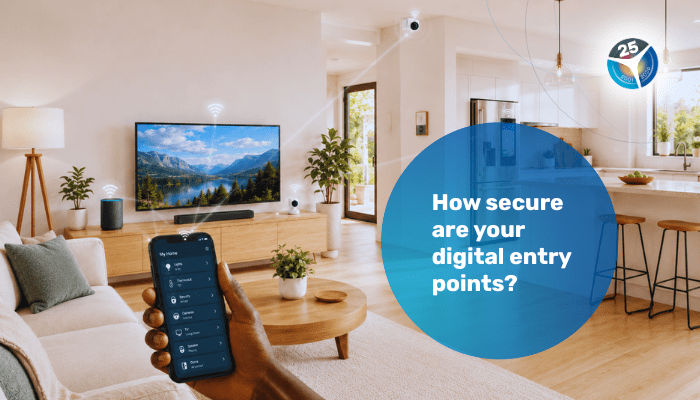
From smart TVs and security cameras to smart doorbells and devices that work through an app: daily life in Curaçao is becoming increasingly digital. These devices offer convenience, but once installed, they also become part of your home network. The more devices you connect to it, the more important it becomes to reduce possible vulnerabilities.
You probably no longer use your home network only for entertainment. Through the same network, you likely also manage your banking, use personal portals such as for tax matters, hold video calls, or log in to your employer’s systems. That is why it is important to know which devices you connect and how secure their factory default settings are.
It is not only your laptop that needs attention
Many people think of digital safety mainly in relation to their phone, laptop, or passwords. But smart devices also work with software, settings, and internet connections. A smart doorbell, camera, or household appliance with an app function may seem harmless, but it remains continuously connected to the same network you use for other important matters.
If such a device still uses a factory default password, does not receive software updates, or has functions enabled that you do not need, this creates risks. Not because every smart device is immediately dangerous, but because a weakly configured device acts as an open backdoor to your network.
Be extra alert when buying locally, ordering online or purchasing abroad
Whether you buy a device locally, order it online, or purchase it abroad, its security is not always guaranteed in advance. These devices are often connected directly to the home Wi-Fi network, which creates a digital risk. It is not always clear beforehand which security settings are available, or when and for how long the manufacturer will continue providing software updates.
There is also an essential difference between professional equipment designed for businesses and the everyday, low-cost gadgets that are easily accessible to everyone. It is precisely with this second category that extra alertness is needed during installation. Look beyond whether the device simply works as expected.
Four basic steps for safer use
You can easily reduce the vulnerability of your home network by taking four basic steps:
1. Keep an overview: check which devices are connected to your Wi-Fi and remove devices you no longer use.
2. Replace default passwords: set a strong, unique password of your own immediately after installation.
3. Install updates: update your devices and router as soon as updates are available. Updates address known security issues.
4. Turn off unnecessary functions: disable options such as remote access or automatic connections if you do not use them in practice.
By consistently applying these four basic steps when installing and using your devices, you increase digital safety within your household. A reliable digital environment starts at home. With careful configuration, you ensure that smart devices provide the intended convenience without becoming an unnoticed risk to the integrity of your home network.
(Sources: RAC, Caricert. RAC publication period: 2026)
Related Publications
More than just speed: what defines internet quality in practice?

Tariffs fuel as of 3 March 2026
